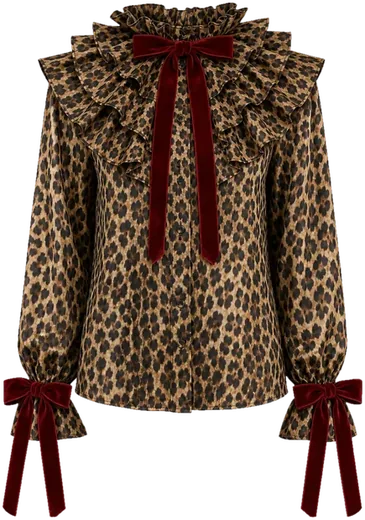

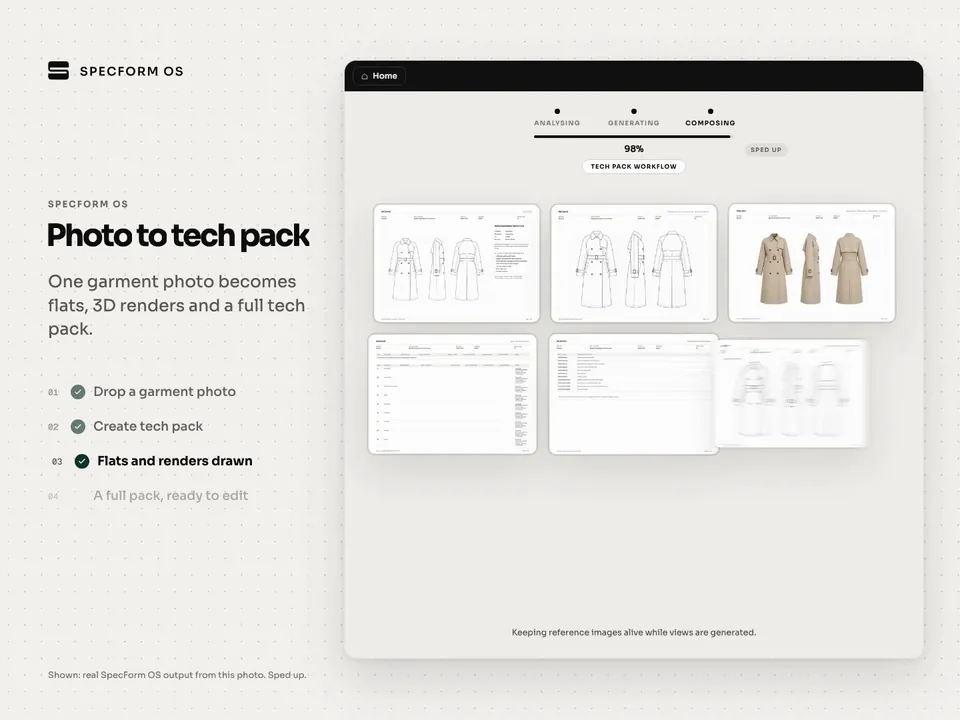
From photo to tech pack
Flats, renders, measurements, BOM and pages from one upload.
Upload a garment photo or sketch. SpecForm OS drafts an editable tech pack with flats, BOM, points of measure, grading and construction details, and flags anything that needs your attention so your team knows exactly what to check. Clients and factories review for free.
On the call we look at your categories and volume and show your team the workflow.

Product development studio for the fashion industry · Sevilla, Spain
O-FINN LAB, founded by Carlota Castro Fariña, takes brands and designers from market research through to the documentation their production partners work from. The studio is testing SpecForm OS inside its real technical development process on live client projects: technical drawings, specs, measurement charts, BOMs and construction details.
About 67% time saved
Developing a look to a first tech pack draft: about 1 hour down to about 20 minutes, reported by O-FINN LAB
“A tech pack that used to take about an hour can now have a first version in around twenty minutes. But the interesting part is not just the speed: you start from a much more advanced technical base, and the time can go into refining the product.”
“Much of the conversation about AI in fashion has been about generating images. But an image is still not a product. The real challenge starts when that idea has to become the technical decisions that let it be developed and produced.”
Quotes translated from the partnership announcement, September 2026. Featured in Spanish press, including Periodista Digital.
Reviewed for Fashion Forward
“SpecForm OS is the most thoughtful AI-trust mechanism seen across the tools reviewed for Fashion Forward to date.”
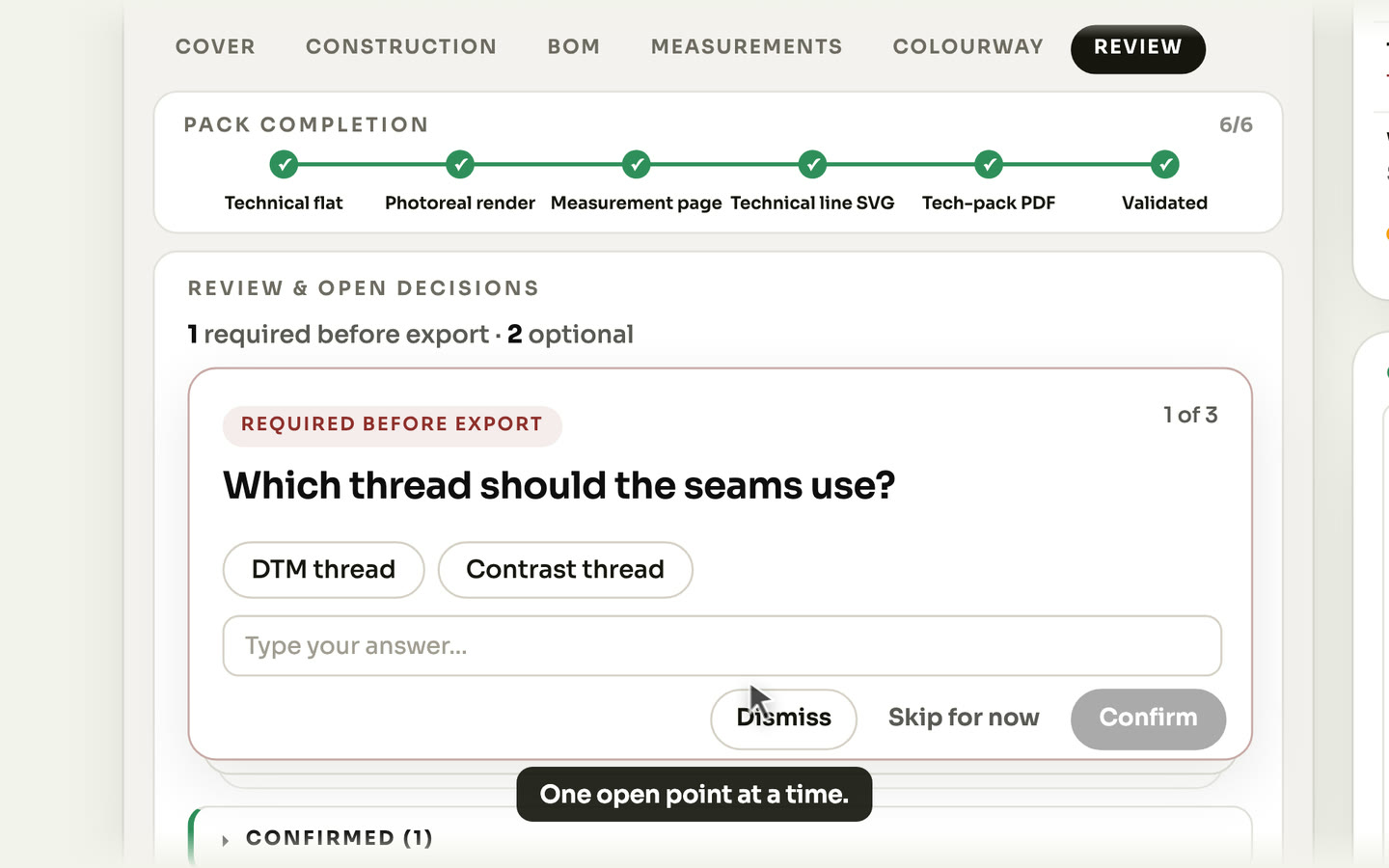
SpecForm OS raises each open point as a plain question in the Review tab, one at a time, marked Required before export or Optional. Your team picks an answer, types its own or dismisses it. Confirmed answers are saved to the pack and print on the Overview page of the PDF, and every BOM row shows whether SpecForm OS suggested the value or your team entered it.
Flats, renders, measurements, BOM and pages from one upload.
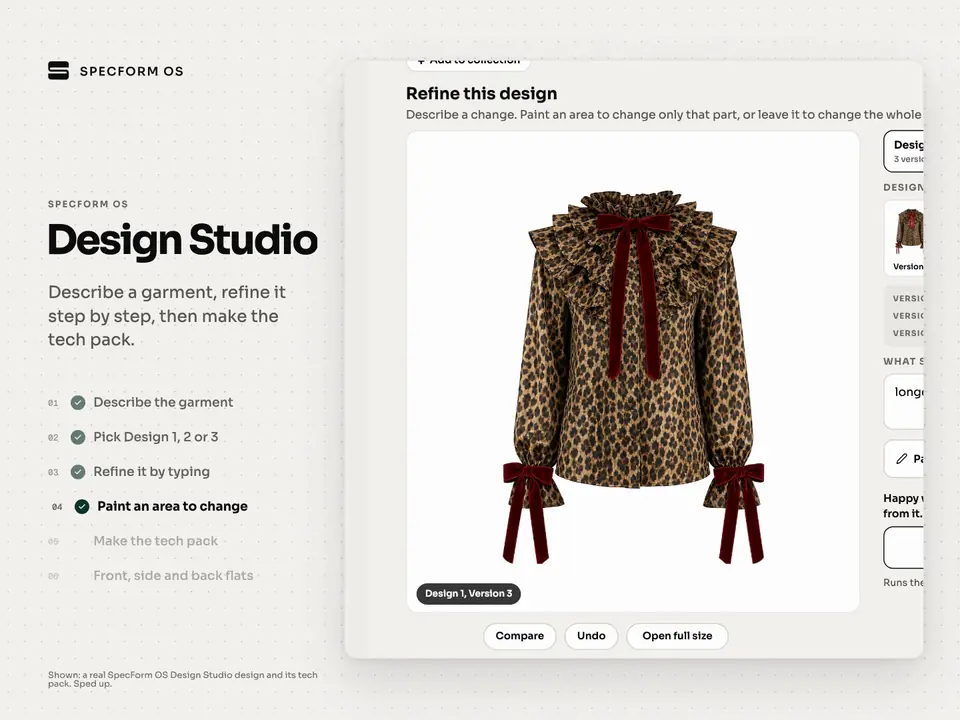
Describe a garment, refine it, then make the tech pack.
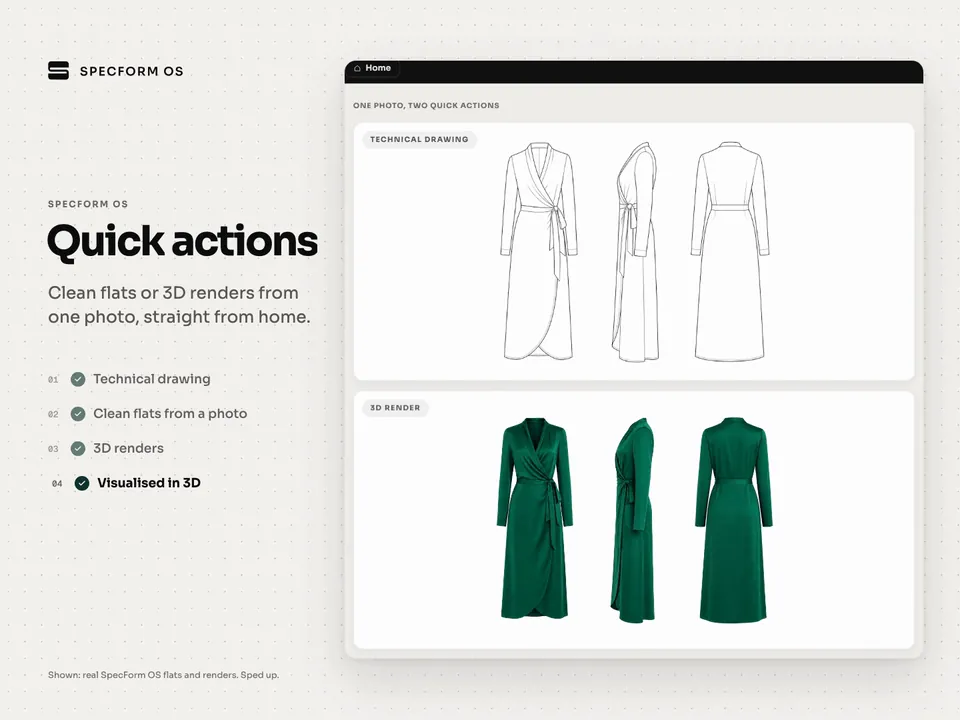
Technical drawing, 3D render, repeat print and virtual fitting in one step.
Each pack is fully editable. SpecForm OS does the first draft, your team checks and confirms, and the factory gets a clearer pack with fewer questions left open.
SpecForm OS flags every open point. Your team confirms, answers or dismisses each one in the Review tab, and confirmed answers print on the Overview page of the PDF. BOM rows show whether a value was suggested or entered by you.
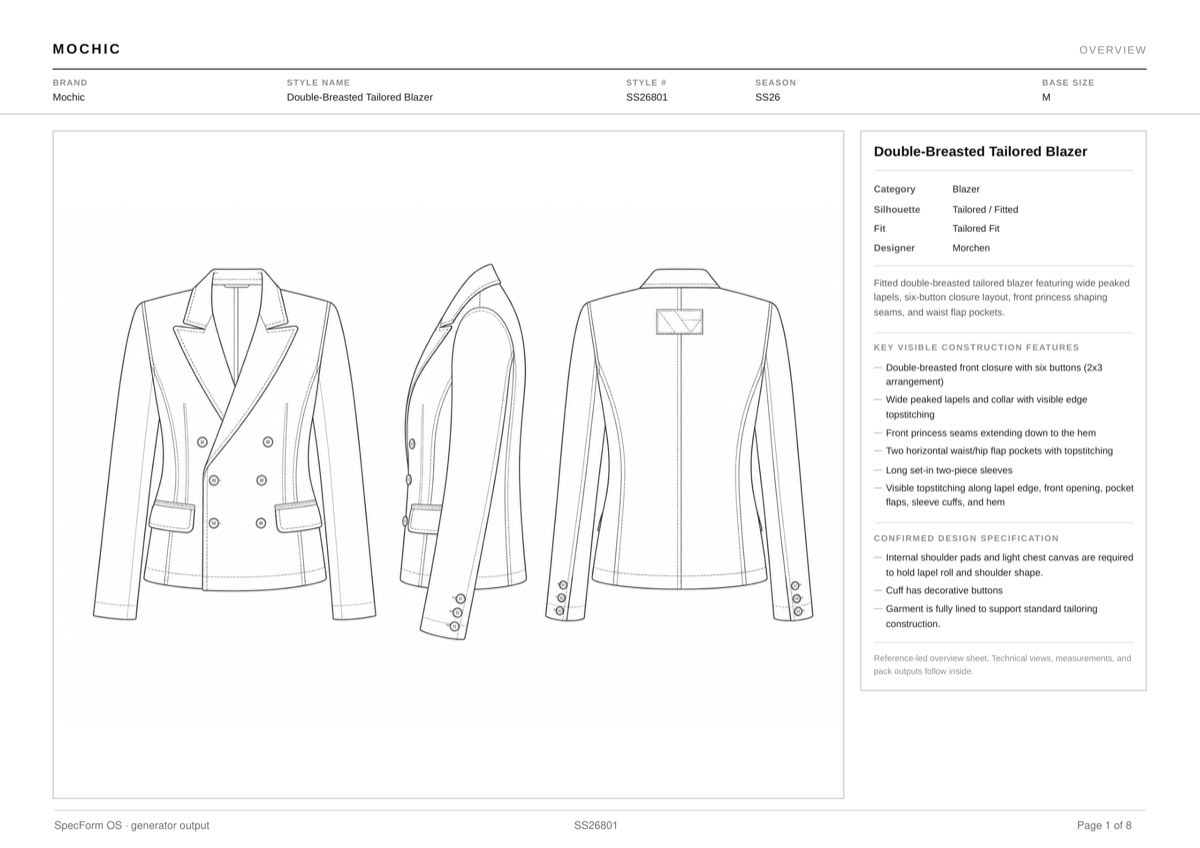
Upload a garment photo or sketch. SpecForm OS drafts the technical flats, 3-view renders, construction callouts, BOM and measurements as one editable pack for your team to review.
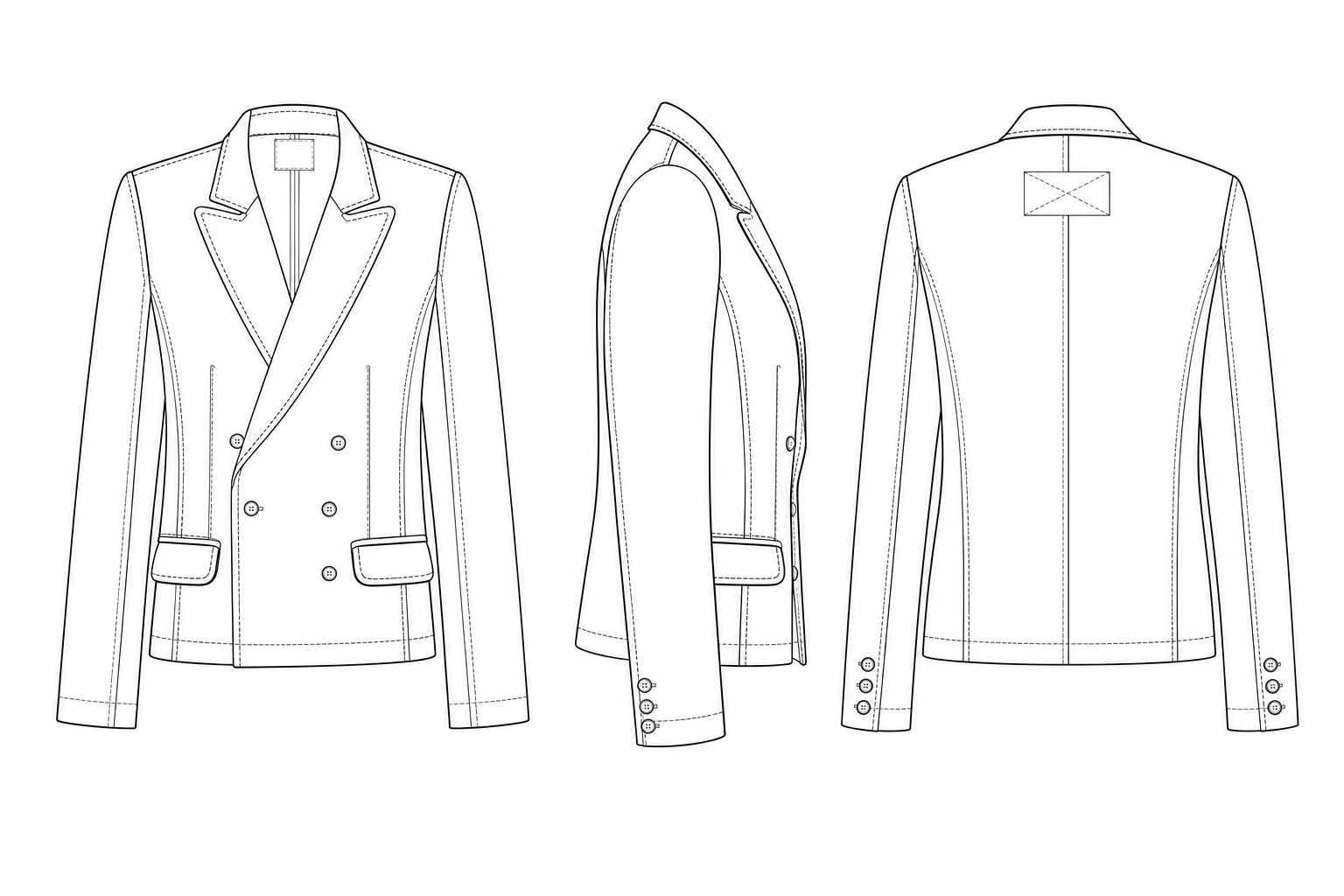
Download the technical drawing as SVG with named layers for outline, seams, topstitch and creases, each with its own stroke weight. It opens in Illustrator as editable stroked paths.
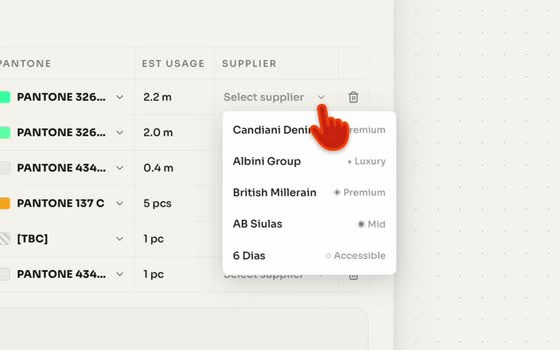
Material rows with suggested fabric suppliers, construction callouts with stitch types, reference photos per row and numbered annotation pins. AI Suggest drafts them and your team confirms.
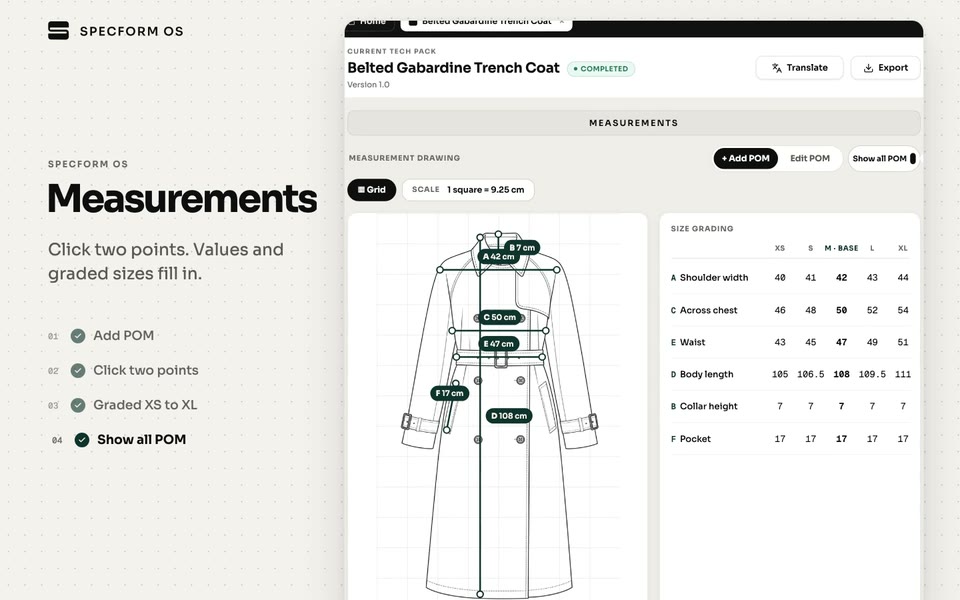
Measurement drawing with POMs, a sample size chart and a full size grading table. Switch size names between UK, US, EU/FR, IT and International without touching the values.
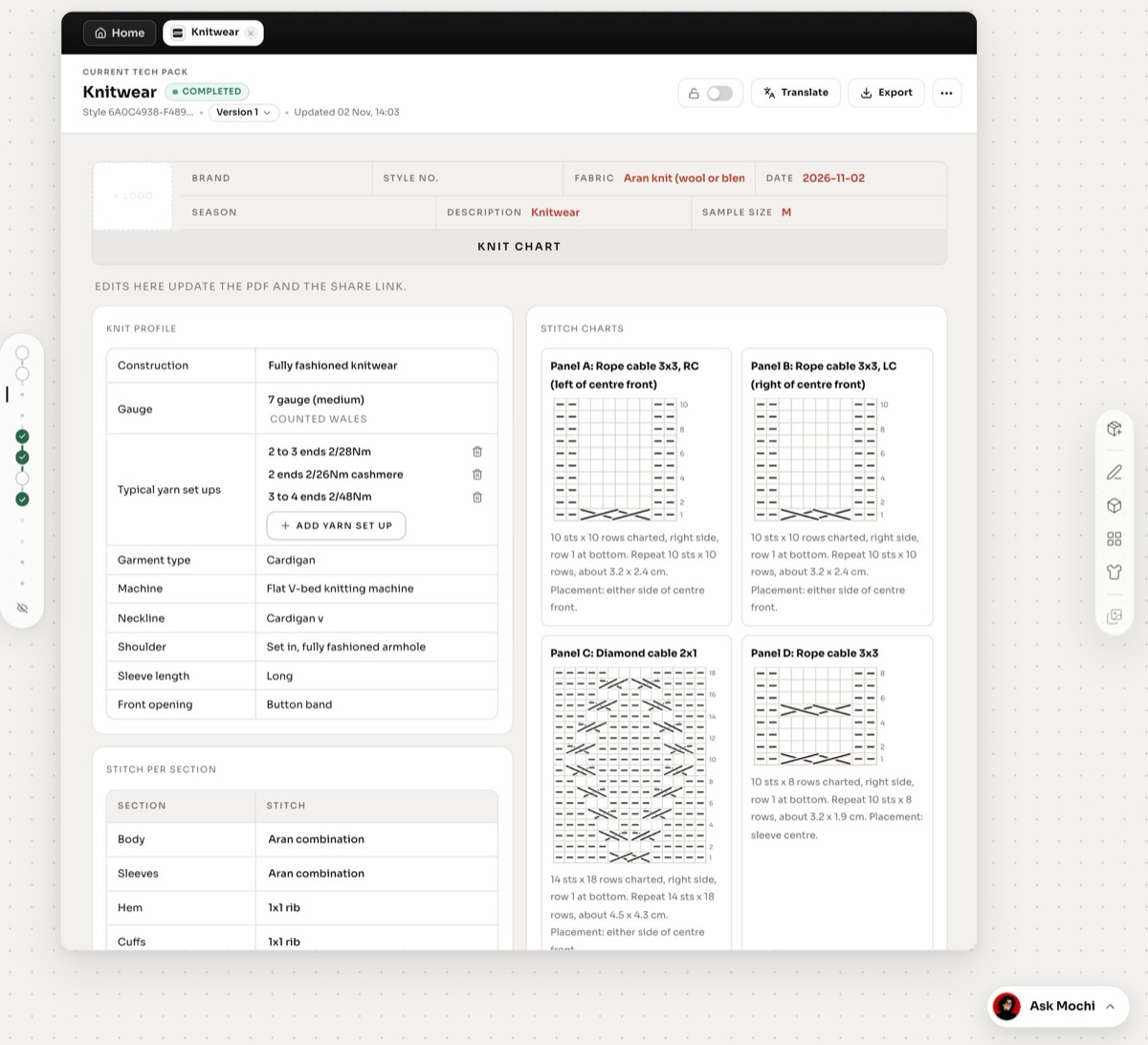
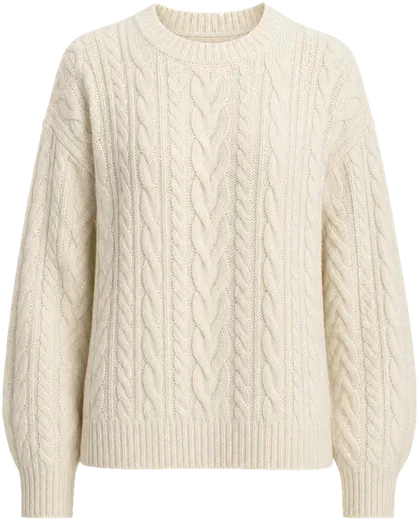
For knitwear packs: knit profile with construction, gauge, machine and yarn set-ups, stitch per section, stitch layout and cable charts, plus performance and QC pages.

See the garment on a model in Slim, Straight, Curve or Plus, with pose options. Add the fitting page to the pack as a visual reference for the factory.
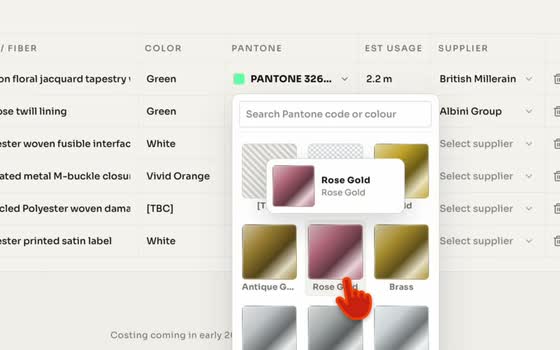
Add colour and fabric variants with Pantone and fabric pickers, mill or supplier and notes. Colourways print in the tech pack.
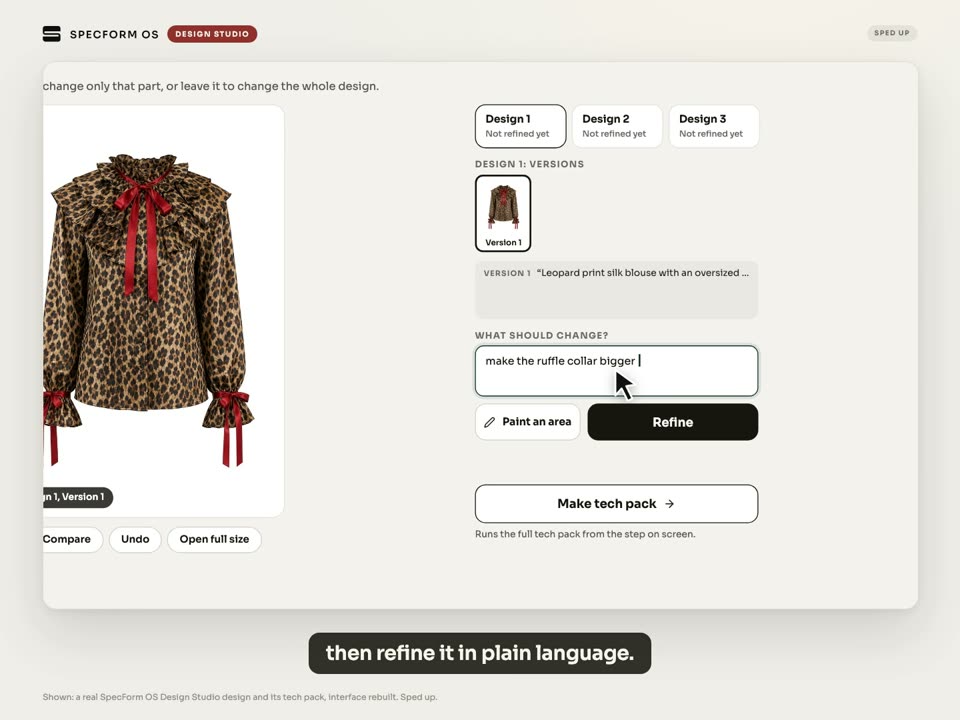
Describe a garment, refine it step by step, then turn the design into a tech pack in the same workspace.
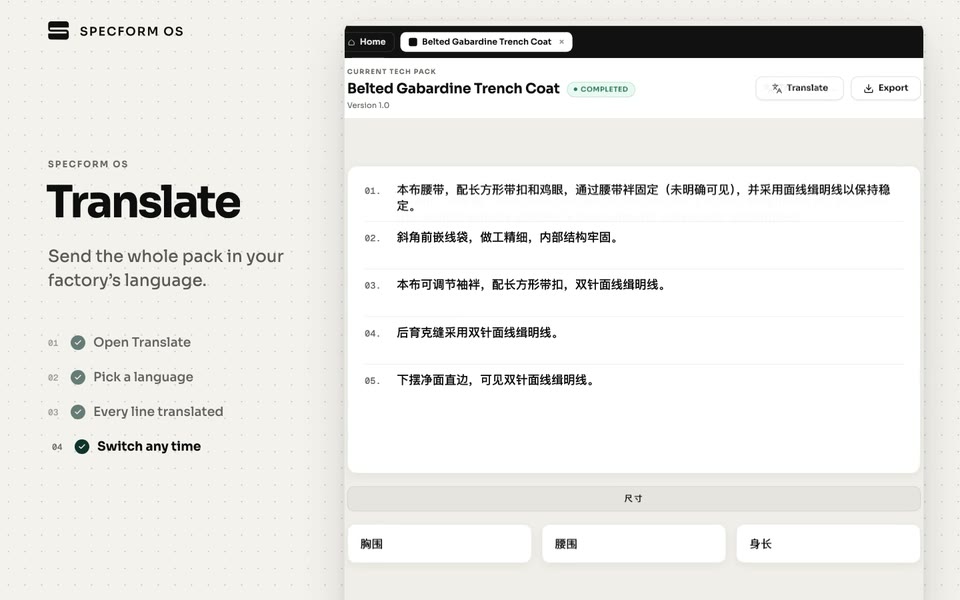
Translate the pack content into Chinese, Vietnamese, Turkish, Hindi, Bengali and six more languages. Numbers, codes, POMs, Pantone references and suppliers are never translated. Switch back to English at any time.
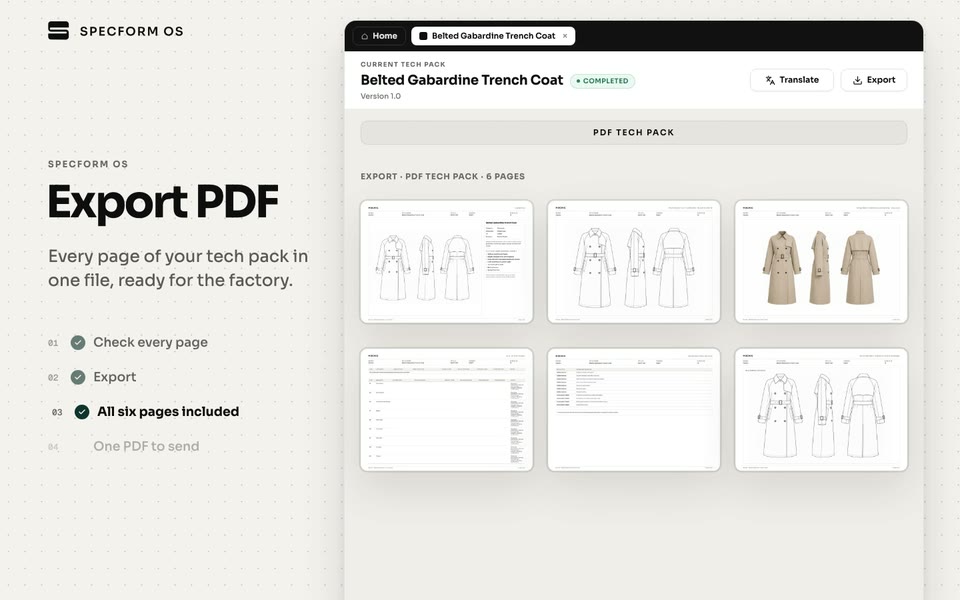
Export the tech pack as a PDF the factory already reads, as an Excel workbook with one sheet per section, as a measurement sheet, and the flats as SVG. It fits the tools your team already uses.
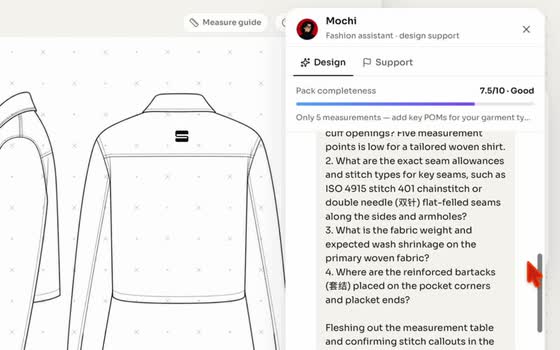
Mochi, the in-workspace assistant, checks the pack against production rules and flags what still needs your input before export.
Members 3
Seats
2/ 5
View only does not use a seat.
Versions
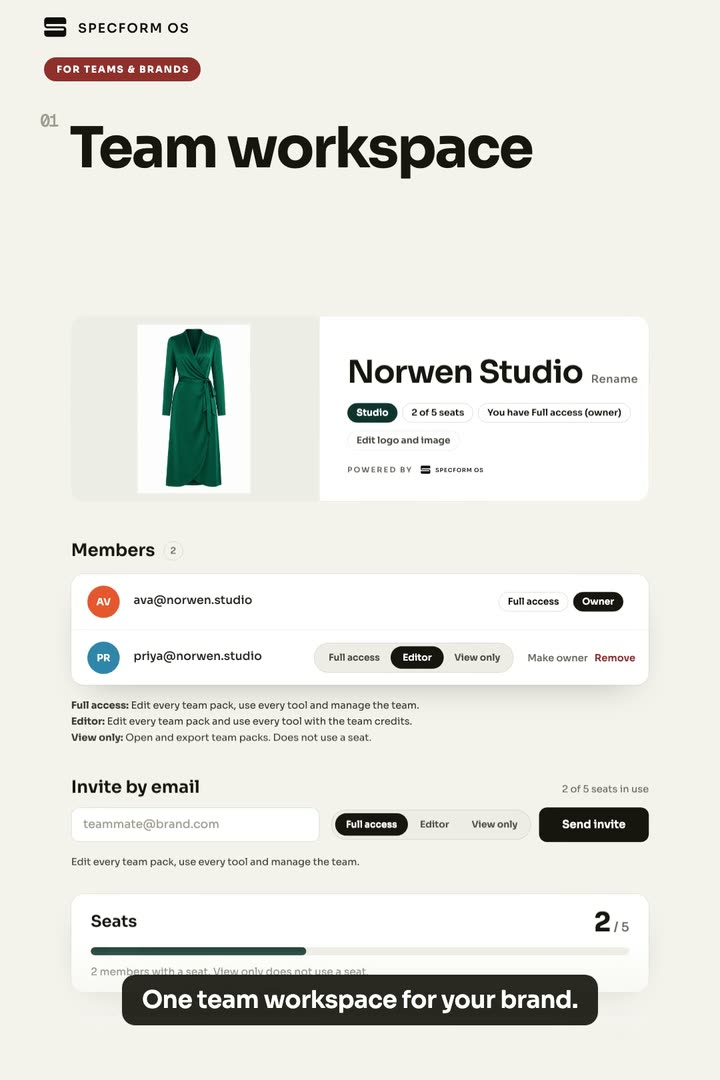
Every team pack sits in one place. Designers, technical designers and production work on the same pack instead of passing files.
Full access manages the team, invites, roles and credits. Editors edit every pack and use every tool. View only can open and export packs.
Clients, merchandisers and factories can review and export packs for free. You only pay for the people who edit.
Editors spend from a single team balance, so nobody runs out on their own account in the middle of a range.
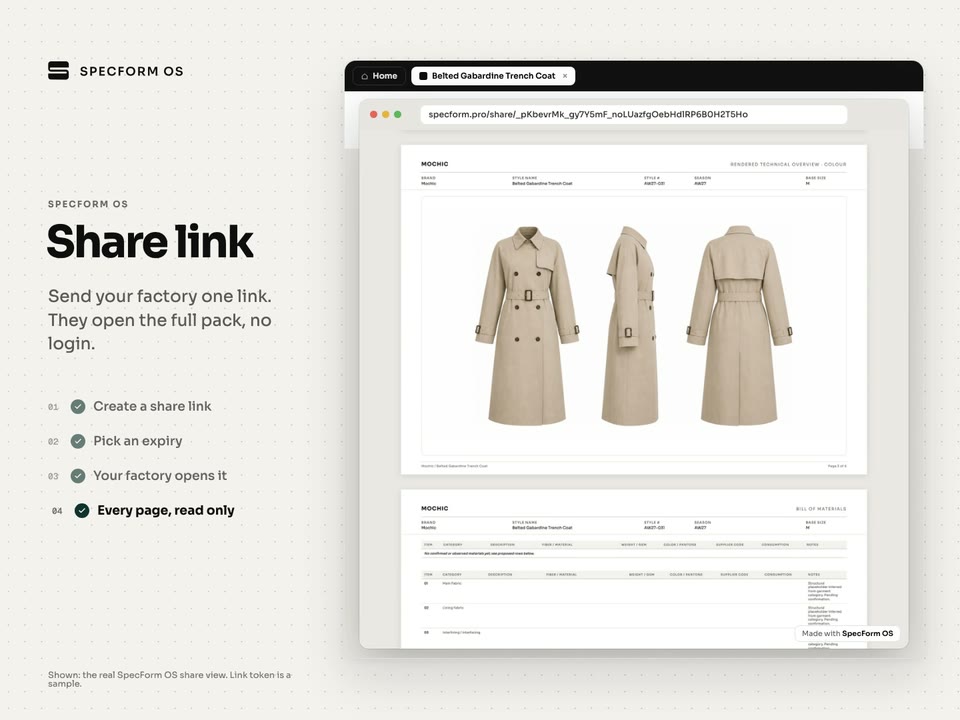
Send a client or factory one link. They open the full pack without logging in. Set an expiry or a password, and let commenters drop pins on the pages.
When fit notes come back, revise the pack in place. Every edit saves as a version you can roll back, Compare shows two versions side by side, and a pack can be locked once it is signed off.
Team workspaces are in beta and we set yours up with you. Team plans are sized to your seats and volume. Book a call and we'll put one together.
Teams with several styles in development every season and a factory waiting on the pack. Too many styles for per-style freelance fees, too few for a full technical team.
Product development studios and freelance technical designers who prepare packs for several client brands and need clients to review them without buying a licence.
Manufacturers and sourcing teams that turn buyer references into development specs and work across languages with their own floor.
As of
“SpecForm is closing the gap between having a vision and having the tools to build it.”
“A promising tool that already saves time with professional tech packs - with huge potential to become an essential part of every product development workflow.”
“The most innovative tool for designers. A new vision of fashion!”
“Very easy and straightforward to use - makes the process quick and efficient.”
“Great program - it gives me a lot of new opportunities. Now I have a sketch in a few minutes.”
“This will change the designer workflow.”
On paid plans, your content is processed only to deliver the service. Our AI providers are contractually prohibited from training on your designs, prompts or outputs.
You keep all ownership rights to what you upload. On payment, ownership of the generated tech packs, BOMs and technical assets is assigned to you outright.
Our team does not open your designs as part of routine operations. If we need to look at a file to fix an issue you reported, we ask first and the access is logged.
Encryption in transit and at rest, role-based access controls, logging and monitoring.
Packs stay in your workspace. Nobody outside your team sees a pack unless you invite them or send a share link.
SpecForm OS is operated by Mochic LTD under the UK GDPR and, where applicable, the EU GDPR. Brand customers are covered by our data processing agreement.
A seat is anyone with Full access or Editor rights. View only members do not use a seat, so clients, merchandisers and factories can review and export packs for free. Team plans are sized to your seats and volume.
Your team shares one credit pool. Editors spend from it when they generate packs or use AI tools, and Full access members can see and manage the balance. As a guide, 1,000 credits covers about 6 tech packs plus edits.
We start with a call about your categories, volume and current process. We then set up your team workspace, invite your team with the right roles and run your first packs together.
Send a share link. They open the full pack without an account, and you can set an expiry, add a password or allow comment pins. Or add them as View only, which does not use a seat.
Yes. Flats export as SVG that opens in Illustrator with named layers, and packs export as Excel with one sheet per section, as well as PDF. To bring an existing style in, start from a photo or sketch of the garment.
It is a first draft for your team to review. SpecForm OS reviews the whole pack and flags what needs your attention or might have been overlooked, so your technical team knows what to check before the pack goes out. Product decisions stay with your team.
Bring a sketch, a sample photo or an existing pack. We'll show your team the workflow and size a plan to your seats and volume.