Independent designers
Build your first technical draft without rebuilding everything manually.
Product
Upload a photo, sketch or technical flat. SpecForm OS turns visible garment evidence into editable flats, measurements, BOMs, callouts and reviewed PDF/SVG exports, so the first sample starts from a clearer brief.
Build your first technical draft without rebuilding everything manually.
Move active styles into a clearer sampling and factory-handoff workflow.
Learn professional product-development structure while creating portfolio-ready outputs.
Sampling reality
Most first-sample delays come from a weak handoff: the garment idea is clear visually, but the technical brief still leaves too much room for guessing. SpecForm OS is built around closing those gaps before money is spent on sampling.
How it works
The workflow is not a black-box document generator. It moves from garment evidence to technical extraction, then into an editable review layer before anything is exported for a factory.
Upload the reference you already have: a product photo, sketch, CAD render or technical flat. Add short notes for fit, fabric, target sample size, colourways or construction details the image cannot prove.
SpecForm OS reads the silhouette, panels, closures, pockets, seams, trims and visible construction logic. Details are marked as observed, inferred or unknown so the user can see what needs review.
The workspace builds editable flats, POMs, size tables, BOM rows, construction callouts and page notes. You correct measurements, rename materials, remove wrong assumptions and approve the technical content.
Once the pack is checked, export a factory-facing PDF and editable SVG assets. The goal is not to replace a technical designer; it is to make the first production brief clearer before sampling starts.
Example output
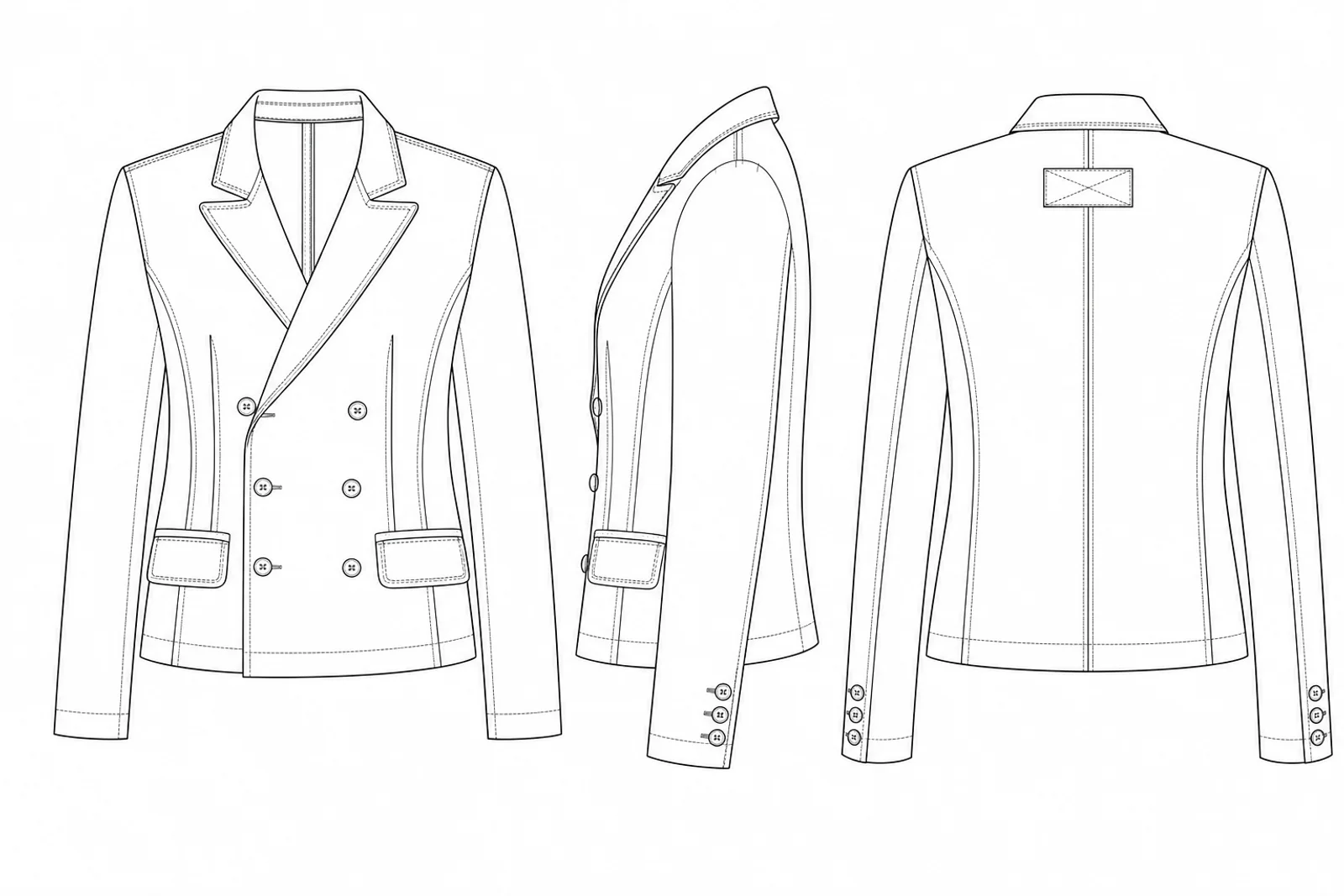
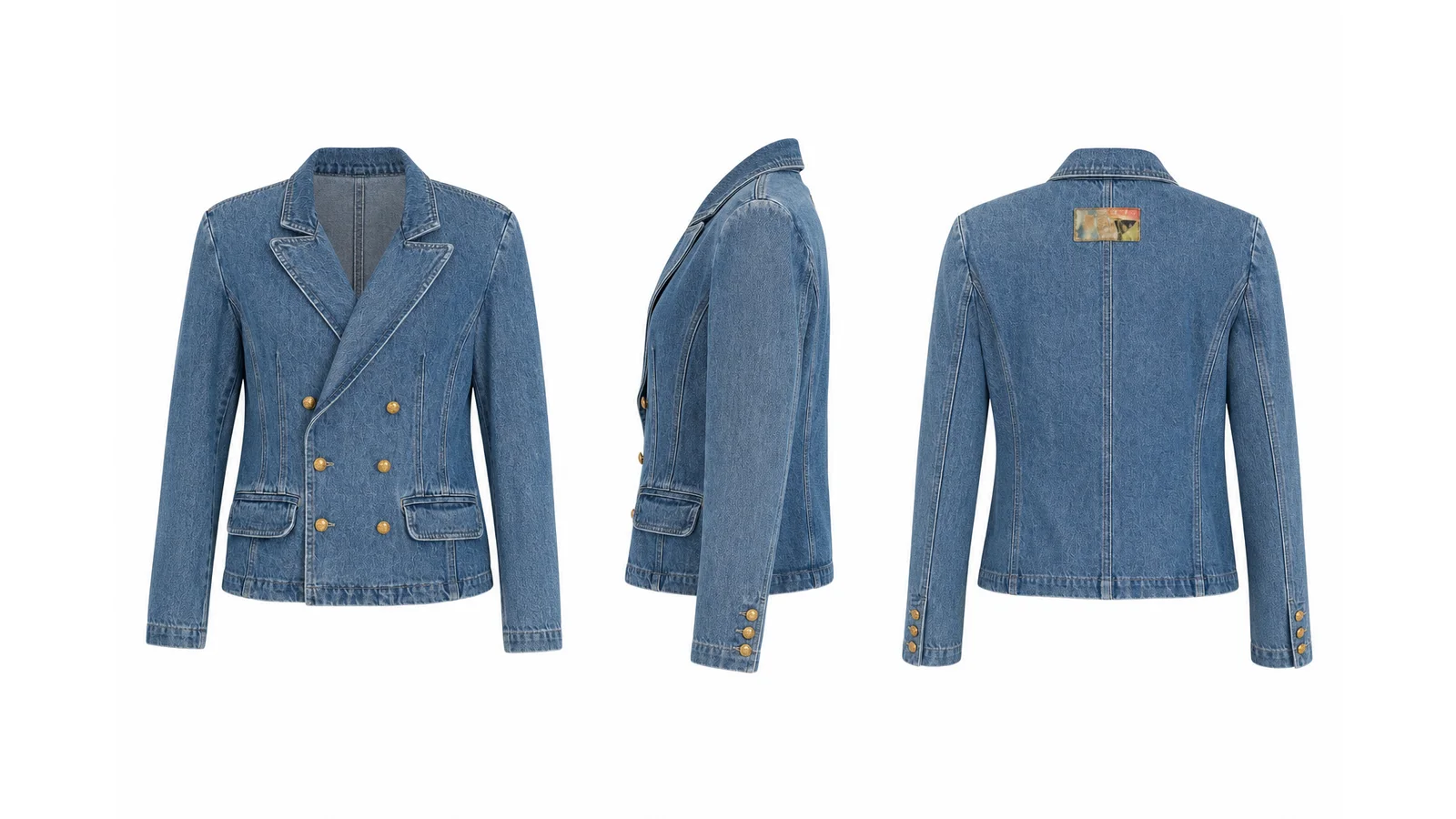
This Double-Breasted Tailored Blazer pack was generated from the same product workflow: overview, technical flats, rendered views, BOM, construction details, measurements, grading and fit reference in one factory-facing PDF.
Factory handoff basics
A tech pack is the production document a factory uses to quote, sample and make a garment. It usually includes technical flats, measurements, grading, materials, trims, construction notes, labels, packaging and fit comments.
A factory needs less moodboard language and more decisions: what the garment looks like, what it is made from, how it is constructed, what size the first sample is, where to measure it, and what tolerances are acceptable.
SpecForm OS turns the garment reference into a structured first draft, then makes the unknowns visible before export. Designers can correct measurements, BOM rows, callouts and inferred details before the factory starts guessing.
Tech pack guide cluster
These guides explain the same factory handoff system behind the product: what a tech pack is, how generators work, and when software beats a blank spreadsheet or heavyweight PLM.
Workflow
Each stage stays editable. Review what SpecForm extracted, correct what needs technical judgement, and export only when the production package is ready for a sample room or factory.
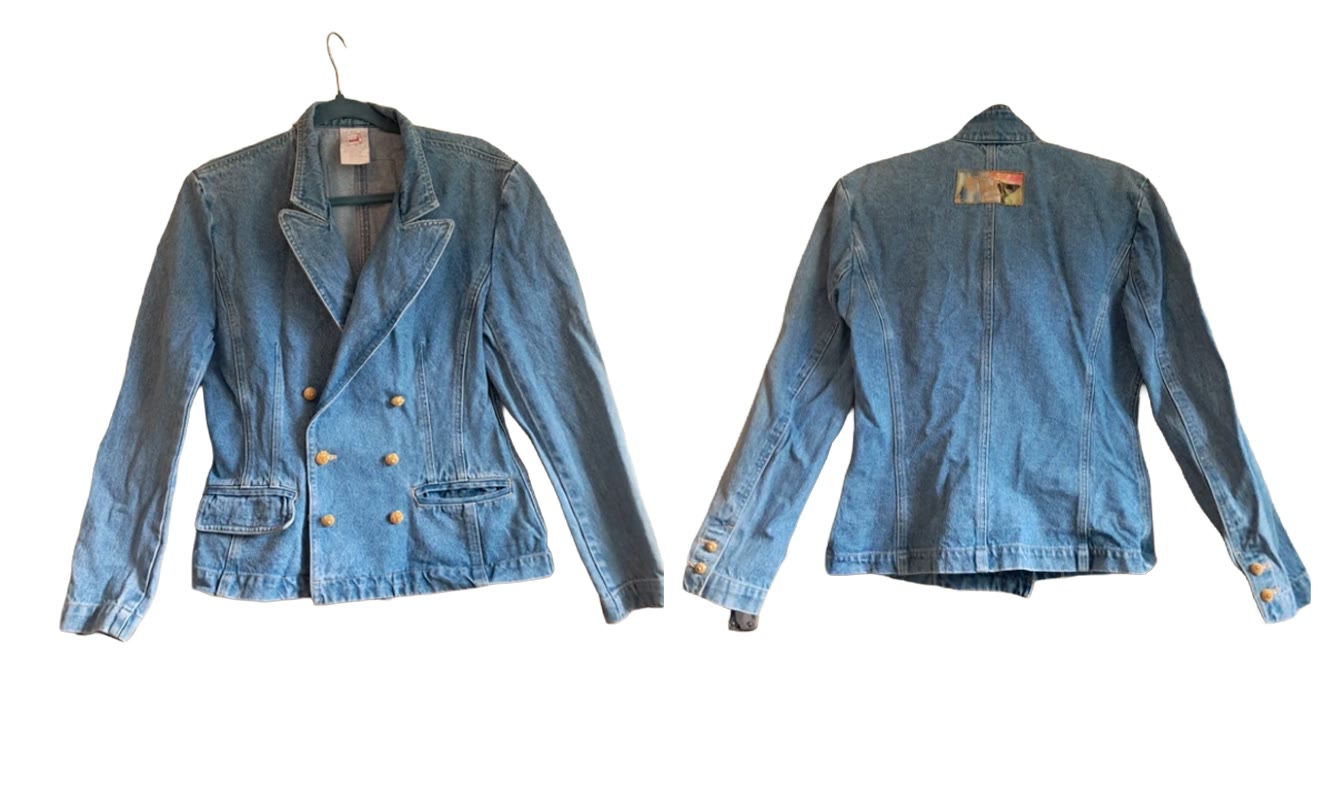 01 · Garment reference photo
Production outputs
SpecForm OS is organised around the documents and decisions behind a sample: technical views, measurements, materials, construction details, review notes and final exports.
Generate front, back and side technical flats alongside photorealistic views from the same reference.
Customer outcomeStart with a coherent set of views rather than recreating each perspective manually.
 1 · Reference photo
Review AI-suggested points of measure, edit measurements and refine a graded size chart directly in the workspace.
Customer outcomeTurn visual intent into a measurement draft that can be checked and discussed.
Generate BOM entries, materials, trims, labels and construction callouts ready for technical review.
Customer outcomeBring technical information into the same workspace as the garment visuals.
Confidence labels make uncertainty visible before the technical package reaches a factory.
Customer outcomeKnow exactly where human review is required before a factory handoff.
Edit technical information and regenerate individual panels or outputs as the garment develops.
Customer outcomeKeep the work connected across sampling changes instead of rebuilding the pack.
Assemble selected outputs into an organised technical package and download PDF and editable SVG files.
Customer outcomeRetain usable files and send a clearer production package.
New
One-click tools for the moments between full tech packs: see a garment worn on a size-inclusive range of models, turn any motif into a seamless repeat print, and re-sync a 3D render to your edited technical drawing.
The differentiator
SpecForm OS creates a structured first draft and keeps the work editable. Compare that with traditional PLM, outsourced technical work and building every element yourself.
| Workflow | SpecForm OS | Traditional PLM | Freelancer | Self-managed workflow |
|---|---|---|---|---|
| Time to first technical draft | Minutes | Hours to days of setup and manual data entry | Typically 3–7 working days | Typically 5–20 hours per style |
| Typical cost model | Subscription; two free packs to start | Seat licence; implementation and training may apply | Typically £250–800 per style | No external invoice; substantial time cost |
| AI-generated first draft | Yes | Usually no or limited add-on | No | No |
| Technical drawings + renders | Generated from the garment reference | Created or uploaded manually | Prepared by the specialist | Created manually |
| Measurements, BOM + callouts | Drafted in the same workflow | Structured after manual input | Prepared as part of the service | Created manually |
| Editable technical output | Yes | Yes, within the system | Depends on file handover and agreement | Yes |
| Uncertainty made visible | Observed vs inferred labelling | No AI-confidence layer | Human judgement, not system-labelled | No system layer |
| Revision process | Edit fields and regenerate targeted outputs | Manual record update | Re-brief, wait and approve | Redo the work manually |
| Factory-facing export | PDF and SVG after review | Available after the record is completed | Included according to the service scope | Depends on technical skill |
| Best suited to | Independent designers, indie brands and students | Established teams with PLM administration | Brands outsourcing technical development | Experienced users with time and technical skills |
Illustrative comparison only. Actual time, cost, file ownership, implementation and scope vary by provider, garment complexity and user expertise. Freelancer cost and turnaround ranges are internal market benchmarks.
Market position
Creative AI tools reduce manual input but rarely produce structured technical output; PLM and technical systems produce structure but require substantial manual input. SpecForm OS targets the open space: low input, factory-ready structure.
Illustrative positioning based on publicly visible product focus and common workflow characteristics. Anonymous dots represent tool categories, not ranked individual companies. Product direction is directional and not a release commitment.
Human review
SpecForm distinguishes details recognised from the garment reference from details inferred by the system. Review, correct and approve the technical information before it is exported or sent to a factory.
Built for human review - not blind automation.
Get started
Create a free account and generate your first tech pack free. No credit card required.


